How to Reset Your BitLocker Flash Drive Password
- Insert thumb drive into your computer
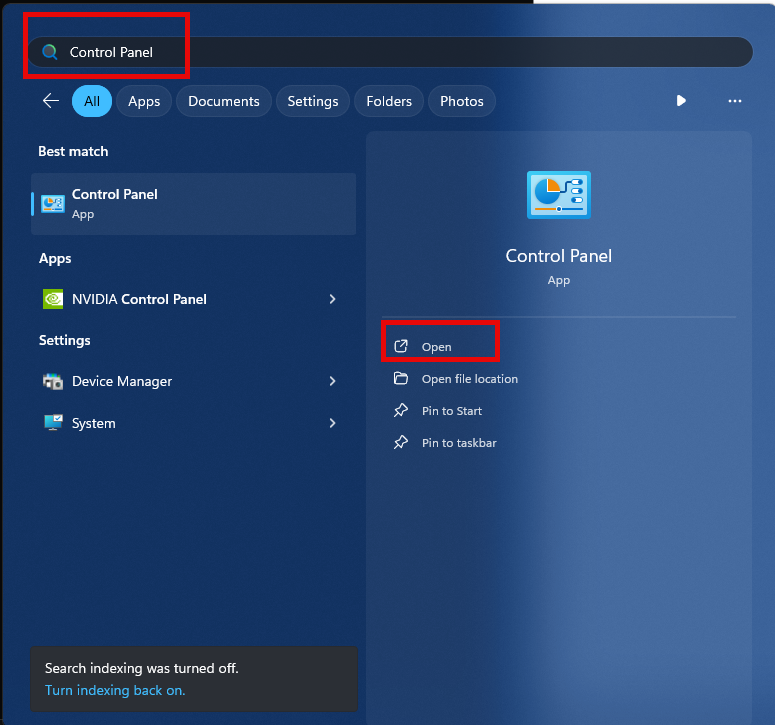
- Go to Control Panel by typing in “Control Panel” in the Start Menu
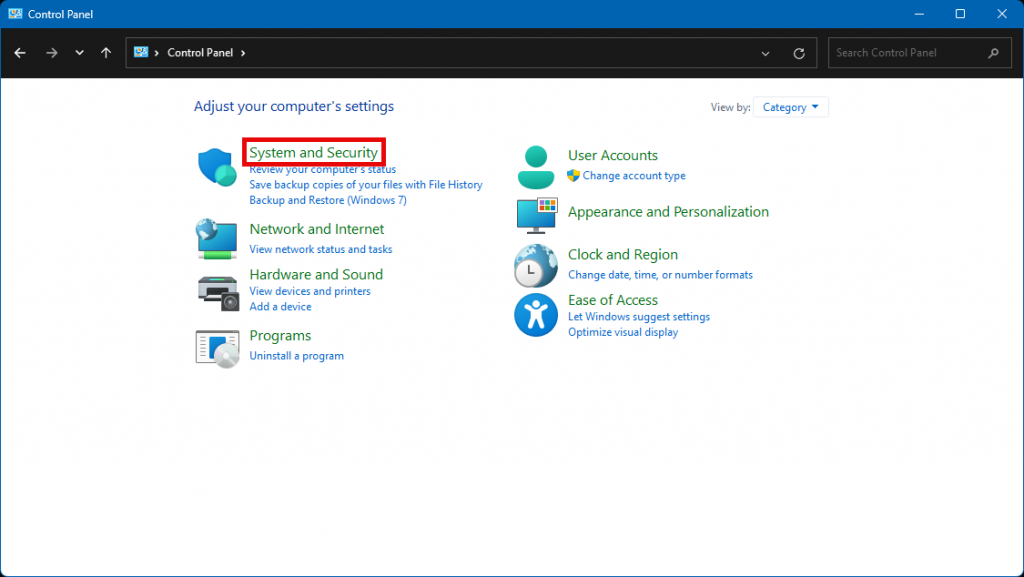
- Go to System and Security
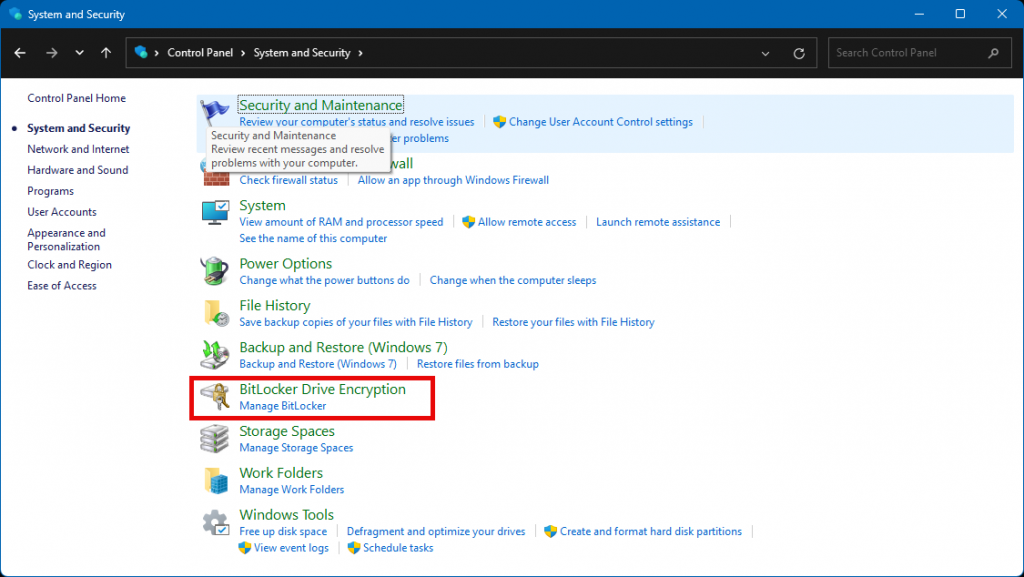
- Click on BitLocker Drive Encryption
- At the bottom under “Removable data drives – BitLocker To Go” click “Change Password”
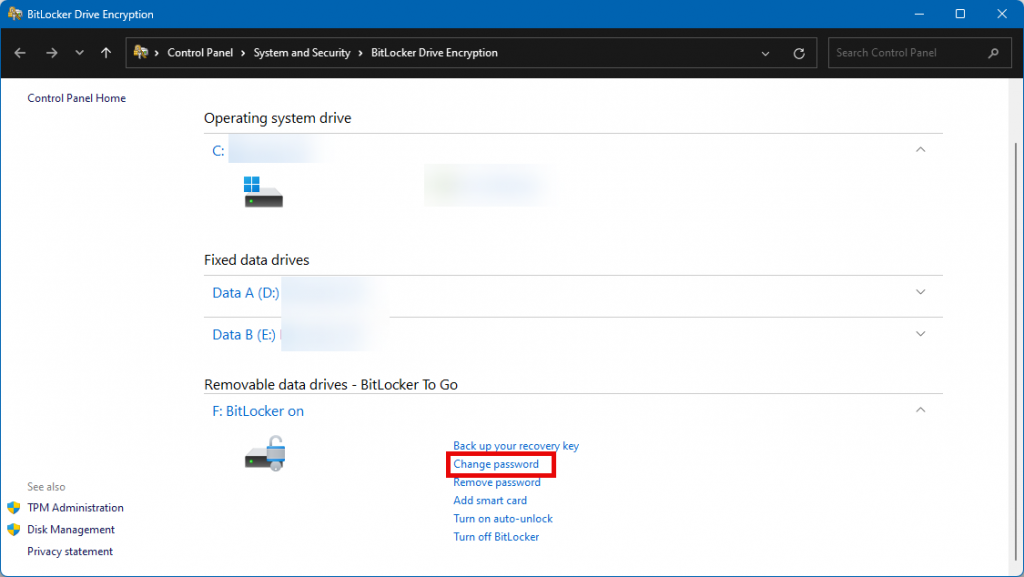
- On the next screen click “Reset a forgotten password”
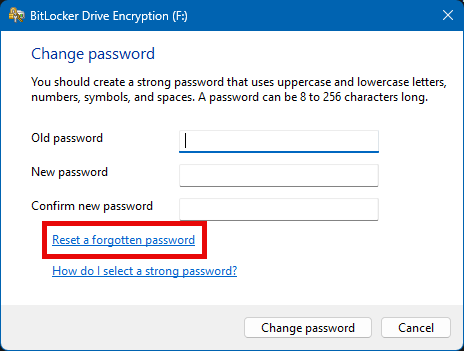
- Create a new password and hit finish

Now you have successfully completed resetting your password. If you need to share the drive with anyone else, just be sure to share that password with them and they will be able to read and write files on the flash drive.